




This website uses cookies so that we can provide you with the best user experience possible. Cookie information is stored in your browser and performs functions such as recognising you when you return to our website and helping our team to understand which sections of the website you find most interesting and useful.


ITEMLIST
Products Infomation

- Products by Category
- Software dedicated to FTN Series stands(Full spec version) FTN-3001
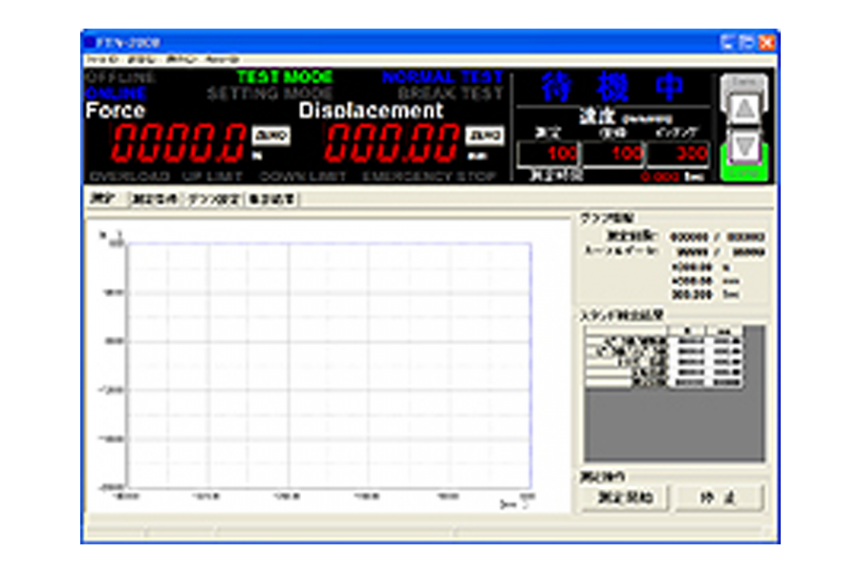
・Stand track value/status display.
・Real-time data acquisition and graph drawing by force (displacement) – displacement (time) during tests.
・Test condition acquisition/setting. (Basic/detail)
・Stand typical value acquisition, list totalization.
・Auto/repeated tests, others.
・English OS supported.
Software dedicated to FTN Series stands(Full spec version) FTN-3001
Model:
FTN-3001
Maker:
Aikoh Engineering Co., Ltd.
Specifications
| FTN-3001 | |
| Computer standard | DOS/V compliant IBM/PC compatible |
| Operating system(OS) | Microsoft Windows 7, 8,10 : Japanese or English |
| CPU | Intel Core i3 Processor 2.0GHz min. |
| Main memory | 2048 MB min. (4096 MB min. recommended) |
| Hard disk drive | 20 to 300 MB according to operating environments |
| Optical drive | CD-ROM drive x 1 When this software is installed. |
| Display | High color (16 bits) min. (32 bits. min. recommended) Desktop area 1024 x 768 min. (1280 x 1024 min. recommended) |
| Communication port | USB port x 1 |
Comparison with the download version
| Function | FTN-3001 (Full spec) |
FTN-3000 (Download) |
|
| Stand operation |
Test start/stop control
|
○ | ○ |
|
Cross head inching operation
|
○ | ○ | |
|
Stand panel lock setting
|
○ | × | |
|
Basic setting acquisition/transmission
|
○ | ○ | |
|
Detailed setting (S-1) acquisition/ transmission
|
○ | × | |
| Stand status display |
Communication status display
|
○ | ○ |
|
Stand mode display
|
○ | ○ | |
|
Test mode display
|
○ | ○ | |
|
Force track value display
|
○ | ○ | |
|
Displacement track value display
|
○ | ○ | |
|
Alarm display
|
○ | ○ | |
|
Speed present value display
|
○ | ○ | |
|
Stand basic information acquisition/ display
|
○ | ○ | |
|
Test direction display
|
○ | ○ | |
| Data display |
Test count display
|
○ | ○ |
|
Graph cursor position data display
|
○ | ○ | |
|
Stand detection result display
|
○ | ○ | |
|
Test status display
|
○ | ○ | |
|
Stand detection result list display
|
○ | × | |
|
Graph cursor display
|
○ | ○ | |
|
Result graph cursor position pickup registration
|
○ | × | |
|
Stand detection result list totalization
|
○ | × | |
|
Result list re-totalization
|
○ | × | |
|
Test passage time display
|
○ | ○ | |
|
Stand detection result list totalization selection
|
○ | × | |
| Graph display related |
Result waveform graph display
|
○ | ○ |
|
Scale graduation display (X, Y)
|
○ | ○ | |
|
Scale auto/manual setting
|
○ | ○ | |
|
Waveform display data reverse setting
|
○ | ○ | |
|
Graph display axis selection
|
○ | ○ | |
|
Graph overlap display
|
○ | × | |
|
Graph overlap file registration
|
○ | × | |
|
Line draw selection
|
○ | × | |
|
Dot draw selection
|
○ | × | |
|
Character draw selection
|
○ | × | |
|
Draw width selection
|
○ | × | |
|
Draw color selection
|
○ | × | |
|
Graph background color selection
|
○ | × | |
|
Pickup registration position, No. display
|
○ | × | |
|
Force trigger level display
|
○ | × | |
|
Graph re-draw selection
|
○ | × | |
|
Graph draw form display
|
○ | × | |
|
Graph overlap draw color change
|
○ | × | |
|
Real time graph draw
|
○ | ○ | |
| Test condition related |
Speed simple setting
|
○ | × |
|
Stand result clear selection
|
○ | × | |
|
Test date automatic registration
|
○ | ○ | |
|
Test person free registration
|
○ | ○ | |
|
Test item free registration
|
○ | ○ | |
|
Remarks free registration
|
○ | ○ | |
|
Stand control selection
|
○ | ○ | |
|
Time test selection
|
○ | × | |
|
Time test measurement time setting
|
○ | × | |
|
Continuous test count setting
|
○ | × | |
|
Sampling rate setting
|
○ | ○ | |
|
Moving average count setting
|
○ | ○ | |
|
Displacement resolution setting
|
○ | ○ | |
| File related |
Test data CSV file save
|
○ | ○ |
|
Test data file load
|
○ | ○ | |
|
Stand detection result list CSV file save
|
○ | × | |
|
Graph overlap registration file save
|
○ | × | |
|
Graph overlap registration file load
|
○ | × | |
|
Pickup data list CSV file save
|
○ | × | |
| Application setting |
Inching, keyboard lock setting
|
○ | × |
|
Serial communication setting
|
○ | ○ | |
|
Stand status display update time setting
|
○ | × | |
|
Application screen display setting
|
○ | × | |
|
System timer setting
|
○ | × | |
|
Log file initialization selection
|
○ | × | |
|
Real-time graph draw selection
|
○ | × | |
|
Force unit selection(N/kgf/gf/Lb)
|
○ | × | |
|
Language selection
|
○ | ○ | |
|
Test condition lock selection
|
○ | × | |
| Printing related |
Printer selection
|
○ | × |
|
Waveform graph print
|
○ | ○ | |
|
Test condition print
|
○ | × | |
|
Pickup list print
|
○ | × | |
|
Stand detection result list print
|
○ | × | |
|
Printer display
|
○ | × | |
| Other | Waveform graph, clipboard copy | ○ | ○ |

To view the pdf files, the Adobe Reader from Adobe Systems is required.